Make Your Own Viral 3D Desk Figurine Image: A Beginner's Guide
Published on September 14, 2025 by Wasim Shaikh
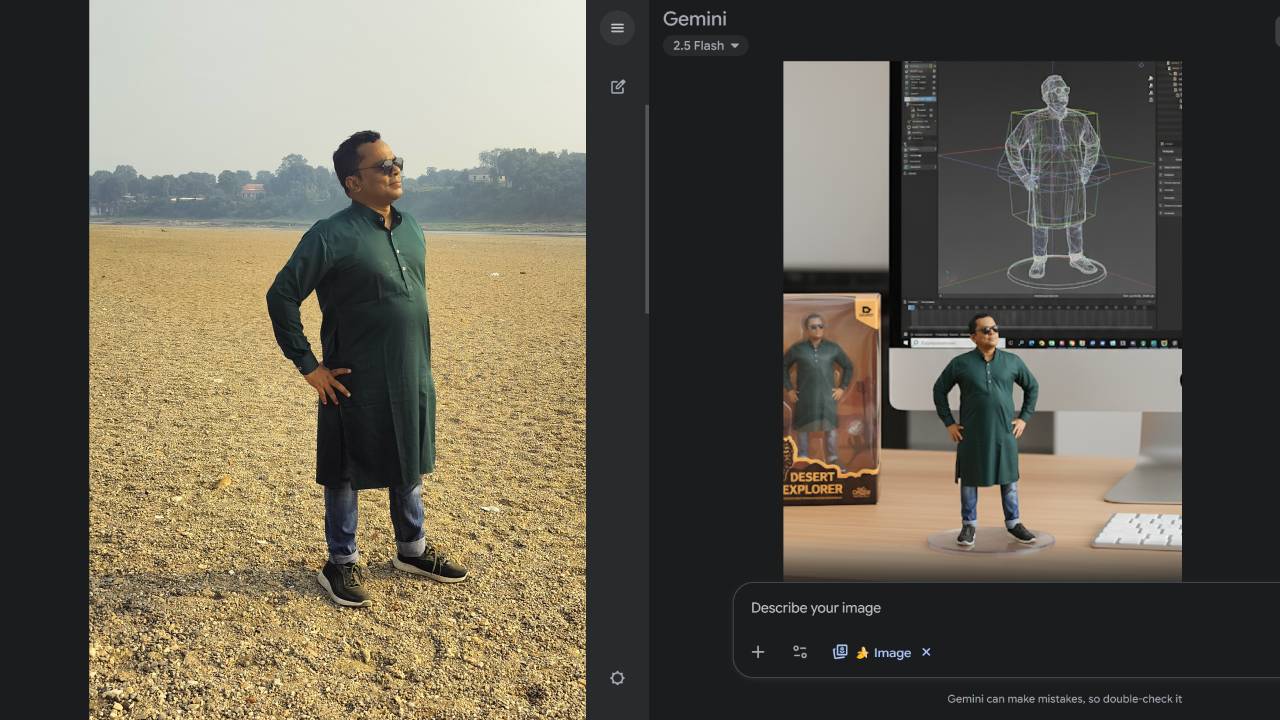 Example of a generated 3D figurine showing the realistic toy-like appearance
If you've been scrolling through Instagram, TikTok, or Facebook, you've probably seen those cute little toy-style figurines sitting on a desk next to a computer screen. They look like collectible action figures — but here's the fun part: they're not real toys! They're AI-generated pictures that anyone can make in just a few minutes. This trend is called the Nano Banana 3D Figurine trend, and in this article, I'll show you how you can create one for yourself, step by step, without needing to be "techy."
What is the 3D Figurine Trend?
The 3D Figurine Trend (also called the Nano Banana trend) lets you see yourself as a mini collectible toy. The image usually shows:
- A small figurine of you on a desk
- A clear plastic stand base like real action figures
- A computer screen with 3D modeling open
- A toy box in the background, just like real collectibles
It looks so real that people often wonder if these toys actually exist!
Why This Trend Went Viral
1. Nostalgia Factor
The figurines tap into our love for collectible toys and action figures, reminding us of childhood favorites.
2. Personal Connection
Seeing yourself as a miniature collectible creates an instant emotional connection and desire to share.
3. High-Quality Results
The AI-generated images are incredibly realistic, making them perfect for social media sharing.
4. Easy to Create
Unlike complex photo editing, this requires no technical skills or expensive software.
What You'll Need
- A Google account (free, just like Gmail)
- A clear photo of yourself (or anyone you want to turn into a figurine)
- A few minutes of your time
That's it! No fancy software, no technical skills.
Step-by-Step Tutorial
Step 1: Go to Google Gemini
Open your browser and go to Google Gemini. This is where the magic happens.
Google Gemini is Google's AI image generation tool that can create incredibly realistic images from text descriptions. It's free to use with a Google account.
Step 2: Upload Your Photo
Choose a clear photo where your face and upper body are visible. Selfies work perfectly if they're well-lit and not blurry.
Photo Tips for Best Results:
- Use good lighting (natural light works best)
- Ensure your face is clearly visible
- Avoid busy backgrounds
- Higher resolution photos work better
- Front-facing or slight angle shots are ideal
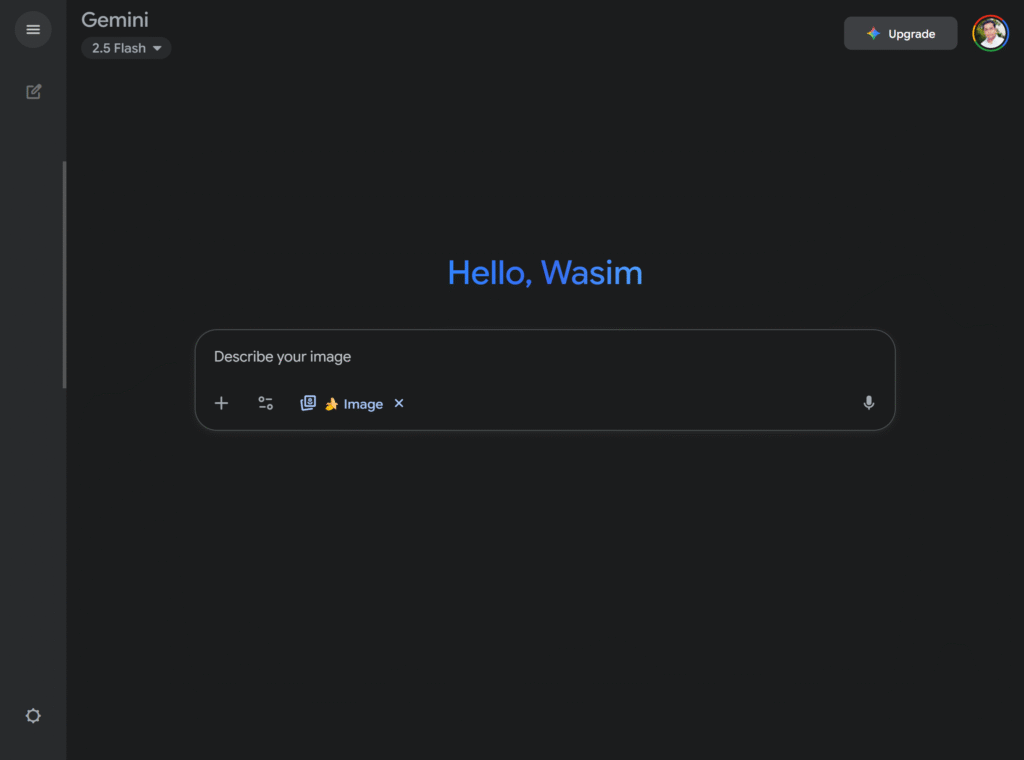
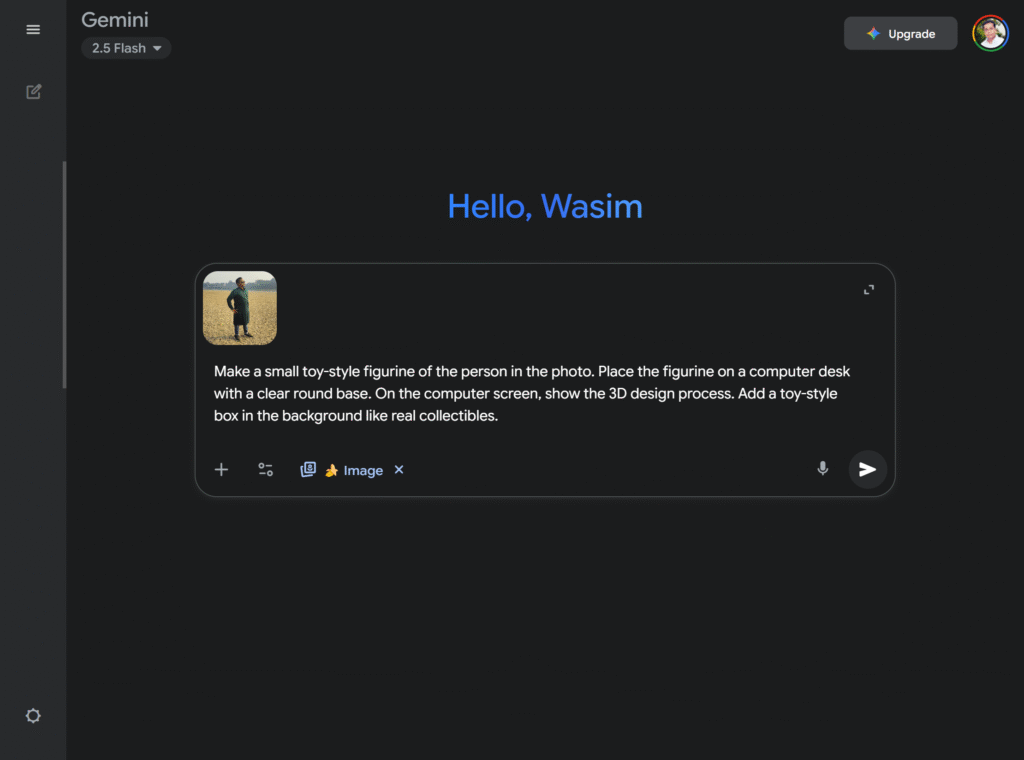
Step 3: Type in a Simple Prompt
Now tell the AI what you want. Here's an easy example you can copy:
Make a small toy-style figurine of the person in the photo. Place the figurine on a computer desk with a clear round base. On the computer screen, show the 3D design process. Add a toy-style box in the background like real collectibles.
Don't worry — you don't have to be exact. Just describe it simply.
Step 4: Generate Your Figurine
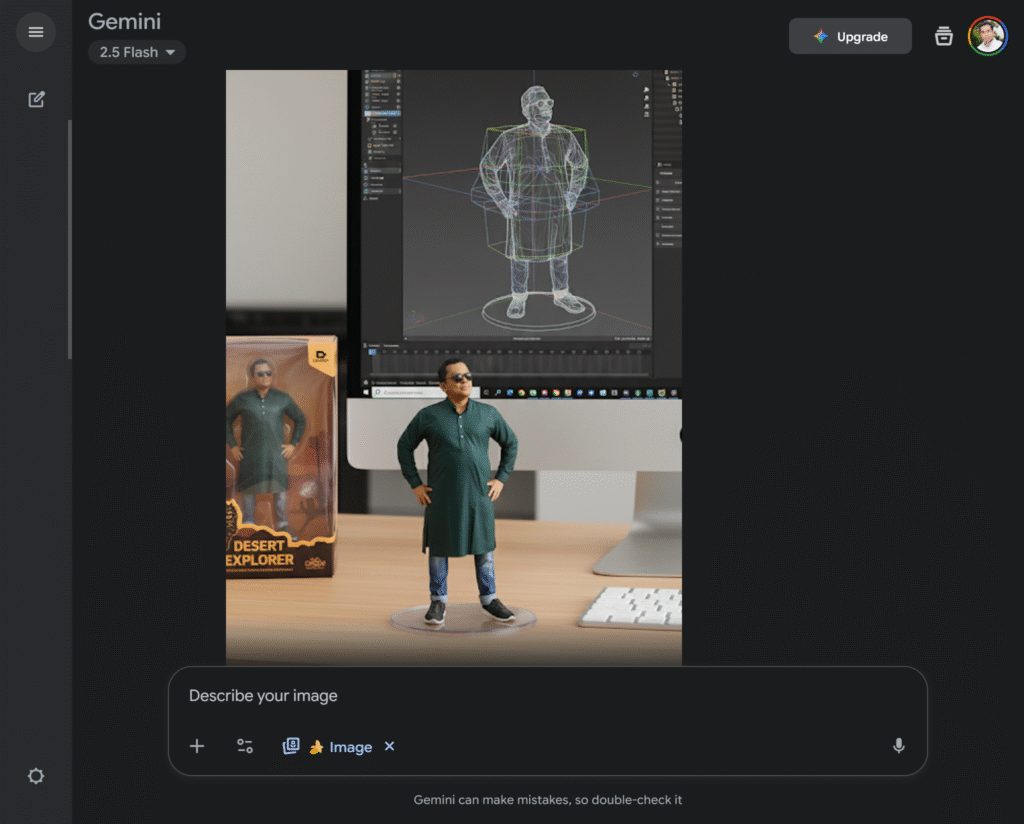
Click the Generate button and wait a few seconds. The AI will show you 2–4 different images. Pick the one you like best and download it. Boom! You now have your own mini collectible.
Advanced Prompt Variations
Once you've mastered the basic technique, try these variations for different styles:
Gaming Theme
Create a gaming-style figurine of the person in the photo, sitting on a gaming desk with RGB lighting. Show the figurine next to a mechanical keyboard and gaming mouse. Include a collectible box with gaming artwork.
Professional Theme
Make a business-style figurine of the person in the photo wearing professional attire. Place it on an office desk with a laptop showing design software. Add a premium packaging box in the background.
Superhero Style
Transform the person in the photo into a superhero figurine with a dynamic pose. Place it on a display stand with dramatic lighting. Include a comic book-style packaging box.
Anime Style
Create an anime-style figurine of the person in the photo with large eyes and stylized features. Display it on a shelf with other collectibles and include Japanese-style packaging.
Tips for Better Results
Photo Selection
- Use high-quality images: Better input photos produce better figurines
- Good lighting: Natural light or well-lit photos work best
- Clear facial features: Make sure your face is clearly visible
- Simple backgrounds: Avoid cluttered or distracting backgrounds
Prompt Optimization
- Be specific: Include details about pose, clothing, and setting
- Mention materials: Specify "plastic figurine" or "collectible toy"
- Add context: Include desk, computer, packaging for authenticity
- Experiment: Try different variations to find your favorite style
Technical Considerations
- Try multiple generations: Generate several versions and pick the best
- Refine prompts: Adjust your description based on results
- Save favorites: Download and save multiple versions
- Share strategically: Post during peak engagement hours
Creative Ideas and Variations
1. Family Figurine Collection
Create figurines of your entire family and arrange them as a collectible set.
2. Pet Figurines
Include your pets in the figurine creation for adorable results.
3. Historical Figures
Transform historical photos into collectible figurines.
4. Fictional Characters
Create figurines based on your favorite fictional characters or cosplay photos.
5. Professional Portraits
Turn professional headshots into executive-style figurines.
Sharing Your Creation
Social Media Tips
- Instagram: Use relevant hashtags like #3DFigurine #NanoBanana #AIArt
- TikTok: Create before/after videos showing the creation process
- Facebook: Share in relevant groups and communities
- Twitter: Use trending hashtags and engage with the community
Engagement Strategies
- Ask followers to guess if it's real or AI-generated
- Create polls asking which version they prefer
- Share the creation process as a tutorial
- Challenge friends to create their own
Troubleshooting Common Issues
Blurry or Low-Quality Results
- Use a higher resolution input photo
- Ensure good lighting in your original photo
- Try regenerating with a more detailed prompt
Figurine Doesn't Look Like You
- Use a clearer, front-facing photo
- Add more specific details about appearance in your prompt
- Try multiple generations with slight prompt variations
Missing Elements
- Be more specific about desk setup, computer screen, and packaging
- Mention each element explicitly in your prompt
- Use reference terms like "collectible action figure" or "toy packaging"
Taking It Further
Once you've created your basic figurine, you can:
1. Create Variations
- Different poses and outfits
- Various themes and settings
- Multiple angles and perspectives
2. Build a Collection
- Create figurines of friends and family
- Develop themed collections
- Design matching packaging concepts
3. Turn Into Videos
Turn your 3D Figurine into a Stunning Video using AI video tools.
4. Print and Display
- Print high-quality versions for display
- Create custom frames or stands
- Use as profile pictures or avatars
The Science Behind the Trend
Why It Works Psychologically
- Miniaturization Appeal: Humans are naturally drawn to miniature versions of things
- Self-Recognition: Seeing ourselves in toy form creates instant engagement
- Collectible Culture: Taps into our desire to collect and display items
- Social Sharing: Perfect for generating likes, comments, and shares
Technical Achievement
The realistic results showcase how far AI image generation has come, making it accessible to everyone regardless of technical skill.
Future of AI-Generated Content
This trend represents just the beginning of accessible AI content creation. As tools improve, we can expect:
- Even more realistic results
- Faster generation times
- More customization options
- Integration with physical products
Conclusion
Creating your own viral 3D desk figurine image is easier than you might think. With just a Google account, a good photo, and a few minutes, you can join this fun trend and create something uniquely yours.
The key is to experiment, have fun, and don't be afraid to try different prompts and variations. Each generation is unique, so you might discover something even better than what you originally planned.
Ready to create your figurine? Head over to Google Gemini and start experimenting. Don't forget to share your creations and tag friends to try the trend too!
Quick Recap:
- Go to Google Gemini
- Upload a clear photo
- Use the provided prompt (or create your own)
- Generate and download your figurine
- Share and enjoy!
The 3D figurine trend proves that the best viral content often comes from simple, accessible tools that let everyone participate. So grab your phone, pick your best selfie, and create your own mini collectible today!