Wave.video Explained: Features, Pricing, and Benefits for Creators & Businesses
Published on September 10, 2025 by Wasim Shaikh
Introduction
In today's digital-first landscape, Wave.video has emerged as one of the most comprehensive video marketing platforms, catering to over 2.9 million users worldwide. Designed for content creators, businesses, marketers, and educators, Wave.video brings together video editing, live streaming, video hosting, and stock media libraries into a single, easy-to-use ecosystem.
Unlike traditional workflows where businesses rely on multiple tools for editing, streaming, and hosting, Wave.video consolidates these capabilities into one seamless platform. This not only reduces costs associated with multiple subscriptions but also simplifies the entire video marketing process. As video continues to dominate social media and brand communication backed by research showing that 91% of businesses now use video as a marketing tool having an all-in-one platform becomes an undeniable advantage.
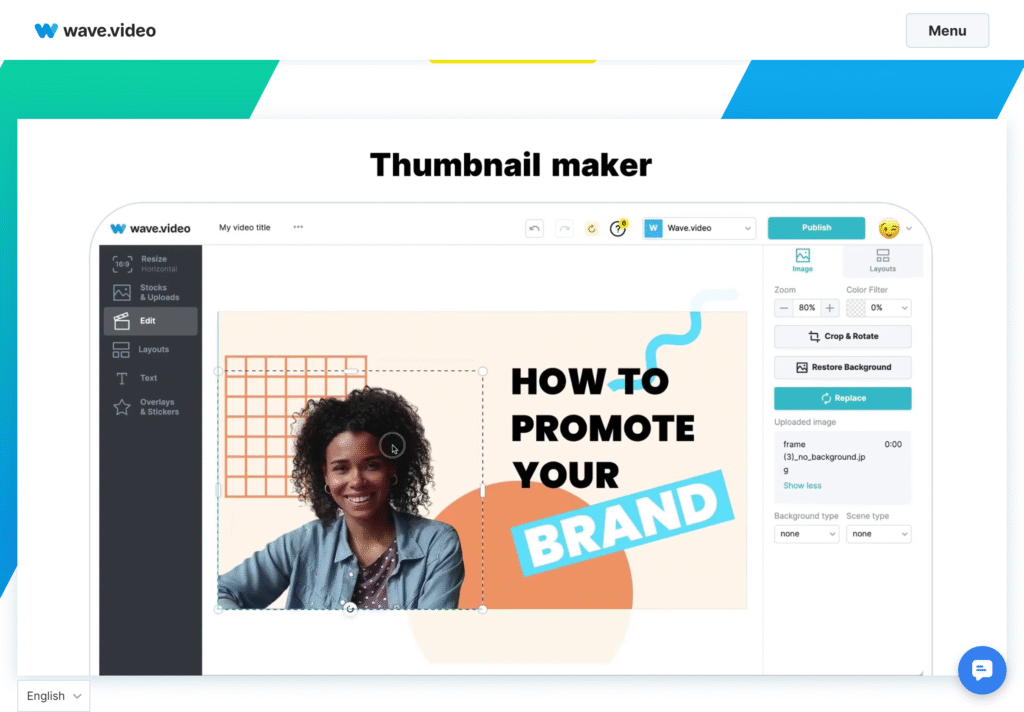
At its core, Wave.video positions itself as a democratized video creation tool—accessible to professionals and beginners alike. With its drag-and-drop interface, template library, and integrated publishing workflows, even users without technical skills can produce high-quality, branded video content in minutes.
In this review, we'll explore Wave.video's core features, pricing structure, use cases, and recent AI-driven innovations to understand why it is considered a leading player in the video marketing space today.
Table of Contents
- Core Features Overview
- Pricing Plans
- Who Is Wave.video For?
- Platform Advantages
- AI-Powered Enhancements
- Support & Learning Resources
Core Features Overview
1. Video Editor
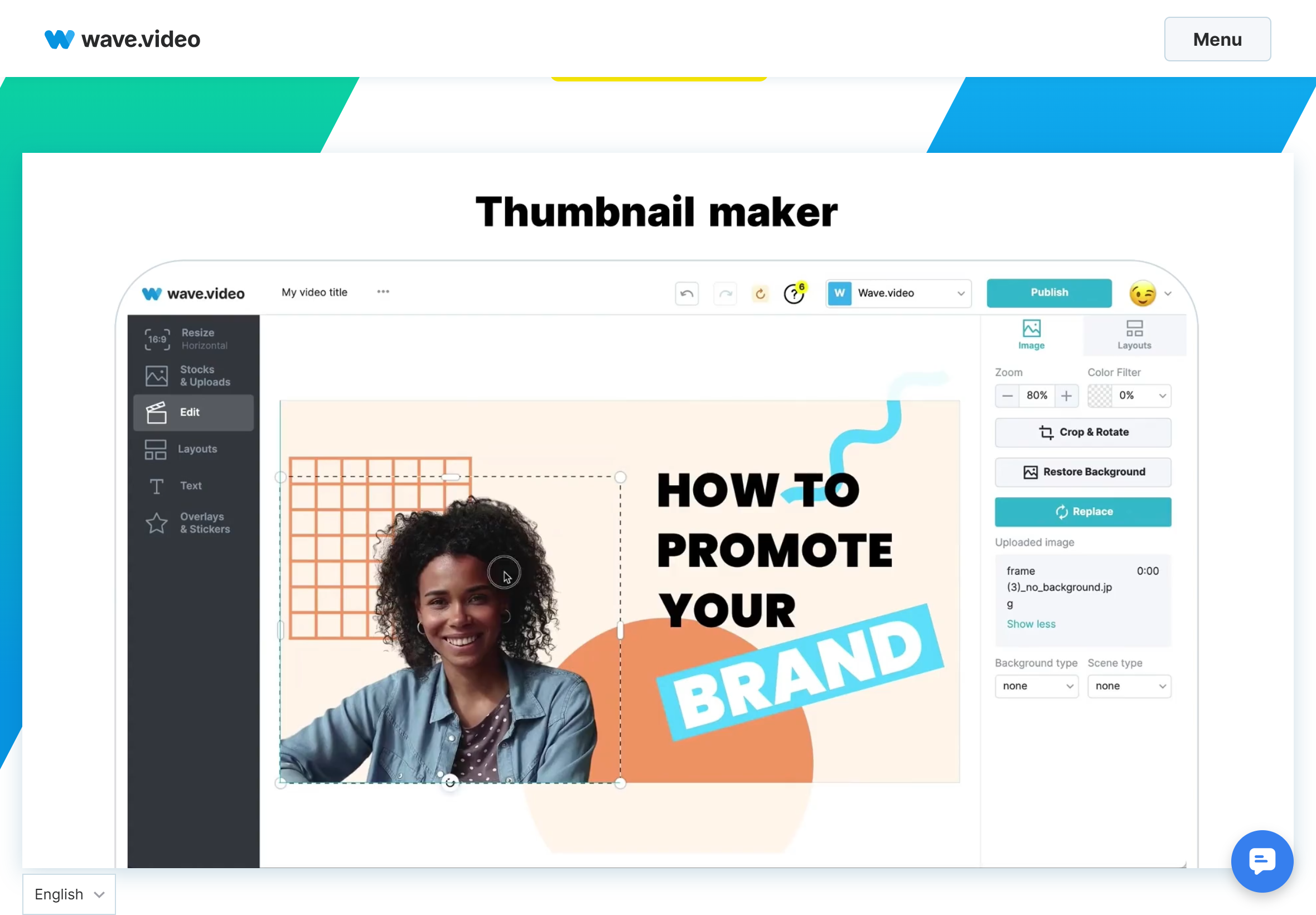
At the heart of Wave.video lies its powerful online video editor, designed for both beginners and professionals. The editor is entirely browser-based, meaning there's no need to download heavy software.
- Multi-format support with automatic resizing for social media platforms such as YouTube, Instagram, Facebook, TikTok, and LinkedIn.
- Stylish text animations and effects with extensive font libraries and customization options.
- Auto-generated captions powered by speech-to-text, with the ability to edit subtitles directly in the editor.
- Professional transition effects for smooth scene changes.
- Flexible layouts including side-by-side clips, collages, and device frame mockups.
- Background removal for images and videos.
- Quick GIF creation from video snippets.
- Easy video trimming and merging with drag-and-drop functionality.
This makes Wave.video's editor a strong alternative to standalone software like Adobe Premiere Pro or Final Cut Pro, but with the added advantage of being web-based and integrated with publishing tools.
2. Live Streaming Studio
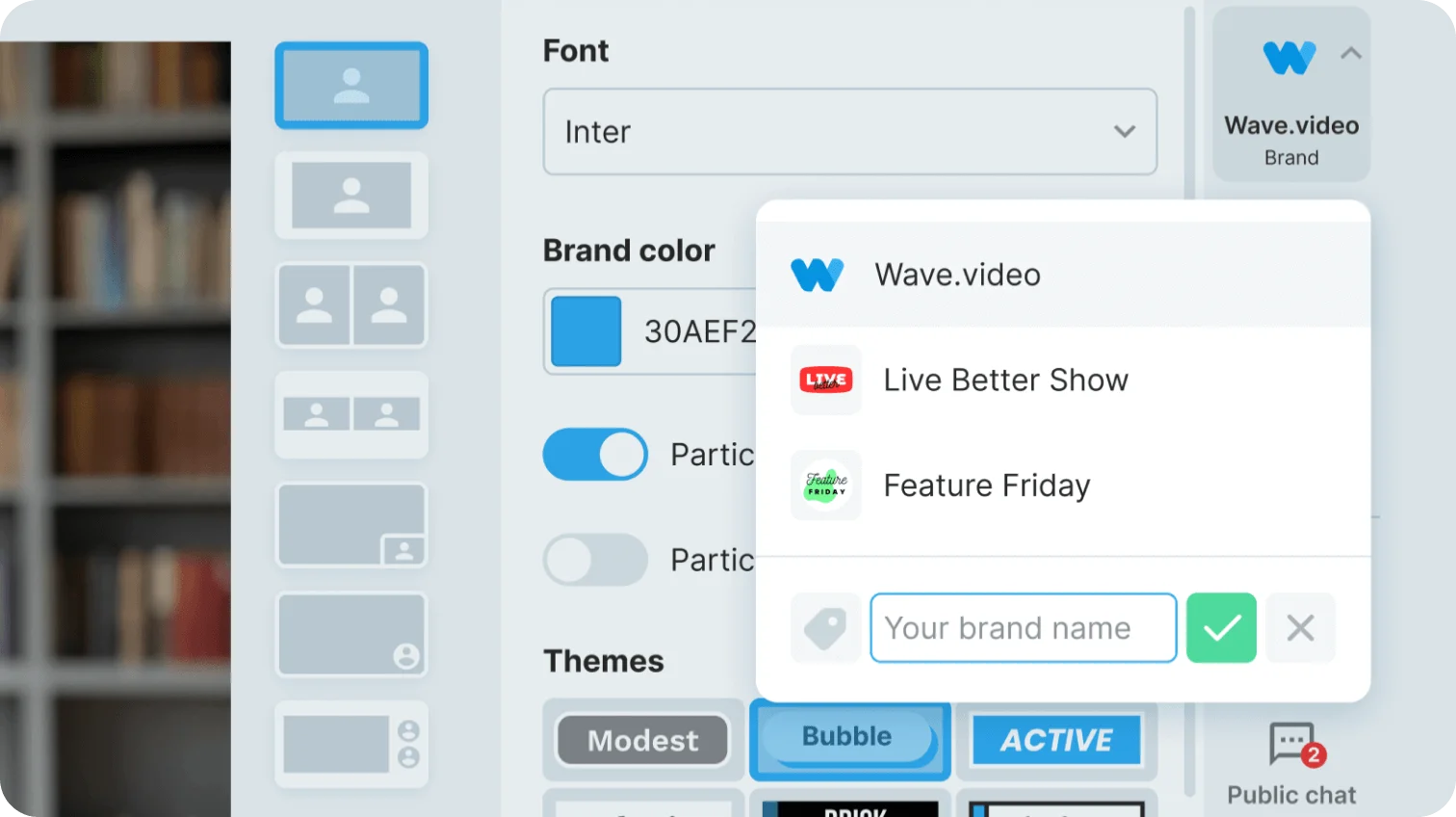
Wave.video also offers a dedicated live streaming studio that allows creators to broadcast simultaneously across multiple platforms including Facebook, YouTube, LinkedIn, Twitch, Instagram, and custom RTMP destinations.
- Support for multi-camera setups (up to 4 cameras per guest on Business plans).
- Guest management with up to 12 participants, depending on plan.
- Customizable scene layouts with drag-and-drop interface.
- Branded overlays, graphics, and pre-recorded video streaming.
- Cross-channel chat integration for engaging directly with audiences in real time.
To explore more on Wave.video's live streaming tools, check their official guide: Live Streaming Tools Overview.
3. Video Hosting & Custom Player
Beyond editing and streaming, Wave.video provides secure video hosting with built-in analytics and customizable players. This eliminates the need for third-party platforms like Vimeo or Wistia.
- Custom player branding with logo integration and color matching.
- Automatic video landing pages for quick sharing and distribution.
- Password-protected hosting for restricted or private content.
- Embed codes for seamless integration into websites or blogs.
- Detailed analytics including play counts, watch time, and engagement tracking.
- SEO optimization with auto-generated video rich snippets.
4. Stock Library & Templates
One of Wave.video's biggest advantages is its built-in stock library and template collection, saving time and cost on third-party subscriptions.
- Access to 200 million stock videos and images from top providers.
- 300,000 royalty-free audio tracks for music and sound effects.
- Over 1,000 professionally designed templates across industries such as business, e-commerce, education, healthcare, real estate, and technology.
- Specialized social media formats for YouTube (16:9), Instagram Stories/Reels (9:16), TikTok, LinkedIn, Twitter, and Facebook.
- Seasonal & event-based templates (e.g., International Makeup Day, Video Games Day, trending hashtag campaigns).
You can browse free assets via the official stock media collection: Wave.video Free Stock Library.
Pricing Plans
Wave.video offers a flexible tiered pricing structure designed to meet the needs of individuals, creators, businesses, and agencies. The platform currently provides four main plans: Free, Streamer, Creator, and Business. Each plan builds on the previous one, offering more advanced features and higher limits for video creation, live streaming, and hosting.
| Plan | Price (Monthly) | Main Features |
|---|---|---|
| Free | $0 | Videos up to 15 minutes (with watermark) Basic video editor access Thumbnail maker 2 million stock assets Live streaming with watermark (2 channels, 6 guests, 1 hour max) Video hosting with watermark (5 embeds, 10GB monthly traffic) |
| Streamer | $16/month | Videos up to 5 minutes without watermark Enhanced live streaming (5 channels, 10 guests, 4 hours max, 1080p) Video recording with pause/resume 20 embedded videos with 150GB monthly traffic Basic permissions management |
| Creator | $24/month | Videos up to 30 minutes 200M+ stock assets and templates Stylish captions and subtitles Image background removal Text-to-speech functionality Same live streaming features as Streamer plan |
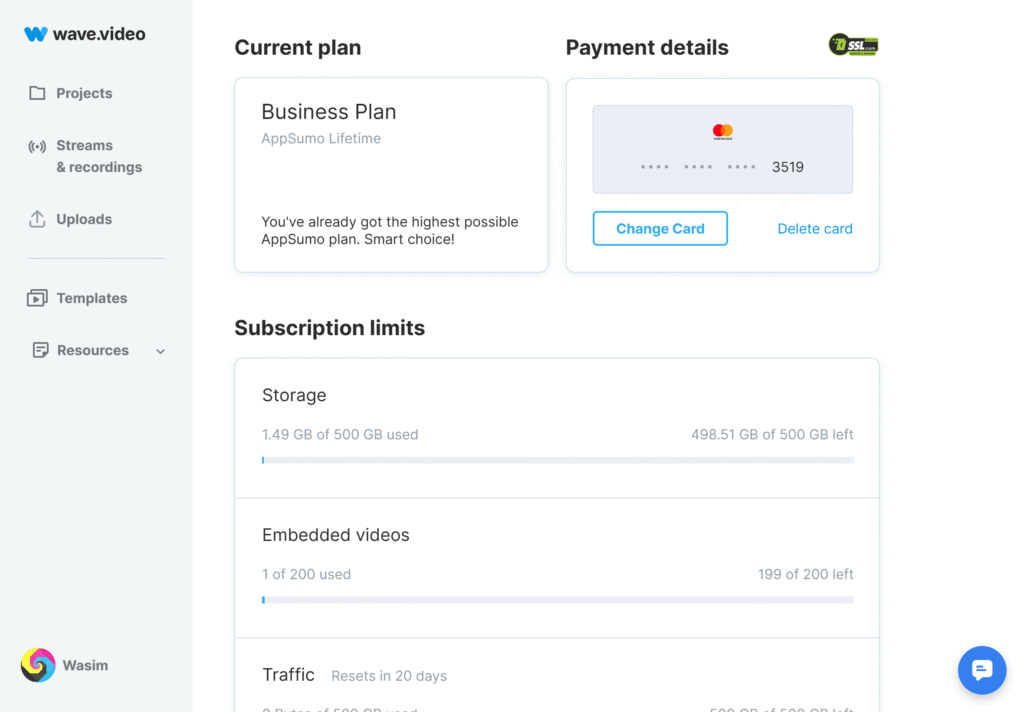
| Business | $48/month | Videos up to 2 hours at 60fps Advanced live streaming (10 channels, 12 guests, 12 hours max) 200 embedded videos with 500GB monthly traffic 500GB storage Shared logins and advanced permissions |
For the most up-to-date details on plans and discounts, visit the official Wave.video Pricing Page.
Who Is Wave.video For?
Wave.video is built for a wide range of users — from solo creators to marketing agencies and educational institutions. Its flexibility makes it a strong choice for anyone who wants to create, host, and distribute professional-quality video content without juggling multiple tools. Below are the primary user groups who benefit most from Wave.video:
1. Content Creators & Influencers
Independent creators and influencers use Wave.video to streamline their content production and publishing. With ready-to-use templates, automatic resizing for different social platforms, and cross-platform live streaming, it helps them grow their audience efficiently.
- Social media content creation for YouTube, TikTok, Instagram, and Facebook
- Personal branding and storytelling
- Brand collaboration and sponsored content
2. Marketing Agencies
Agencies benefit from Wave.video's scalability, which allows teams to manage multiple client accounts, create branded assets quickly, and deliver engaging campaigns across multiple channels.
- Client video production with brand customization
- Multi-client collaboration tools
- Efficient, scalable video creation workflows
3. Small to Medium Businesses (SMBs)
For SMBs, Wave.video offers an affordable way to produce professional content without hiring large production teams. The platform's integrated hosting and analytics also make it easier to measure ROI on video marketing campaigns.
- Product demonstrations and explainer videos
- Customer testimonials and case studies
- Internal communication and training materials
4. Educational Institutions
Schools, colleges, and online learning platforms use Wave.video to create educational videos and keep students engaged. Its simple interface allows educators to focus on content delivery rather than technical complexity.
- Tutorials and online course content
- Student engagement videos
- Administrative announcements and communication
By addressing the needs of these diverse groups, Wave.video proves itself as a versatile video marketing platform that empowers both individuals and organizations to enhance their digital communication strategies.
Platform Advantages
What sets Wave.video apart from other video tools is its ability to combine editing, live streaming, hosting, and stock media into one unified ecosystem. Below are the core advantages that make it a popular choice for nearly 3 million users worldwide.
1. Integrated Ecosystem
Unlike competitors that focus on a single function (e.g., video editing or hosting), Wave.video combines multiple tools into one. This eliminates the need for juggling subscriptions across different services and helps creators streamline their workflow. The result is a more efficient process from content creation to publishing.
2. User-Friendly Interface
Wave.video emphasizes accessibility with its drag-and-drop editor and template-based approach. Even users with no prior editing experience can create professional videos within minutes. This democratization of video production allows small businesses and solo creators to compete with larger, more resource-rich teams.
3. Cross-Platform Distribution
The platform's built-in social media integration ensures that videos can be published directly to major platforms such as YouTube, Facebook, Instagram, TikTok, and LinkedIn. Automatic resizing ensures that content is properly formatted for each platform, saving creators from the hassle of manual adjustments.
4. Scalable Pricing Model
From free users testing the waters to businesses managing large-scale campaigns, Wave.video's pricing tiers are designed to scale. This flexibility makes it an attractive choice for individuals, SMBs, agencies, and educational institutions alike.
Together, these advantages make Wave.video a strong all-in-one solution for those who want to maximize the impact of video marketing while keeping tools and costs consolidated.
AI-Powered Enhancements
Wave.video has steadily added AI-driven features to accelerate video production and improve accessibility. These enhancements are designed to save time, improve content quality, and help creators scale output without needing larger teams.
1. Text-to-Video (Turn Text into Video)
The Text-to-Video tool converts articles, blog posts, or plain text into editable videos. The AI analyzes input text, matches it with visuals, and generates a draft video that can be refined. This is ideal for repurposing written content into social media clips.
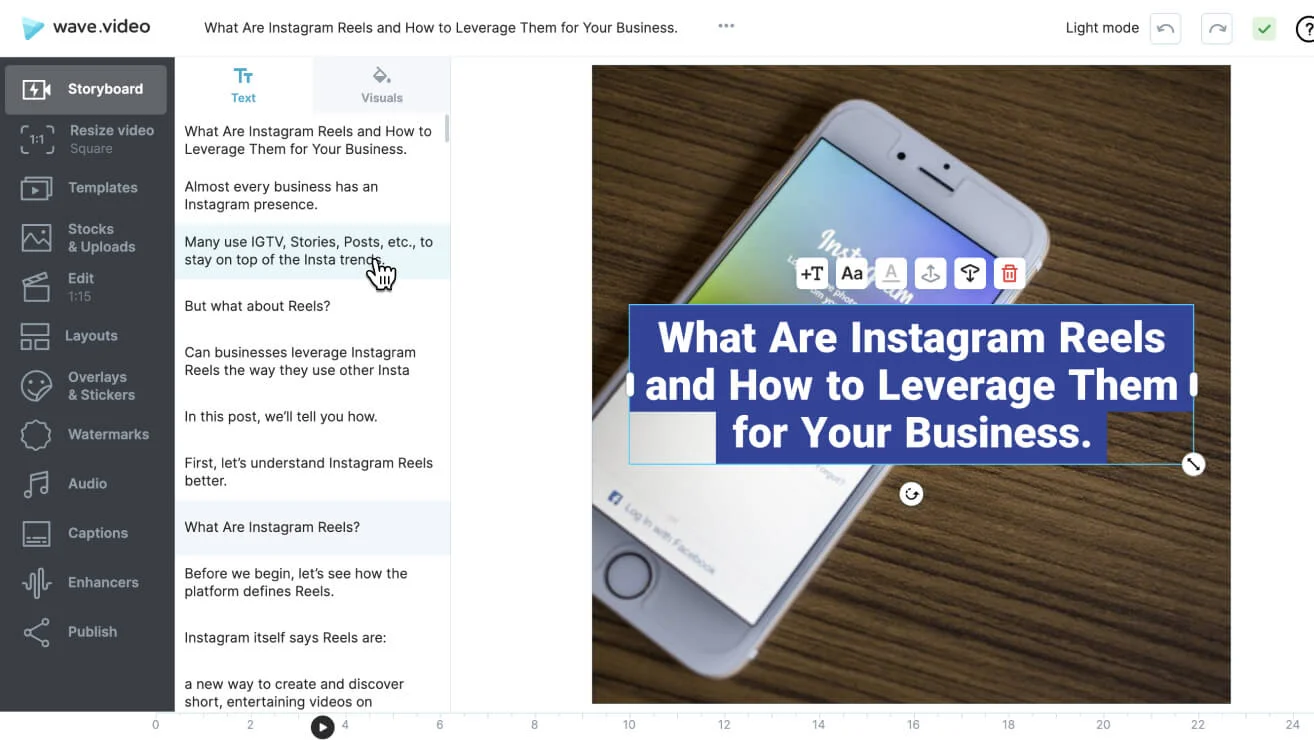
2. Automated Short-Form Video Creation
For long-form assets like webinars and tutorials, Wave.video's AI detects highlights and produces short clips optimized for Reels, Shorts, and Stories. Automatic resizing ensures each clip fits the chosen platform perfectly.
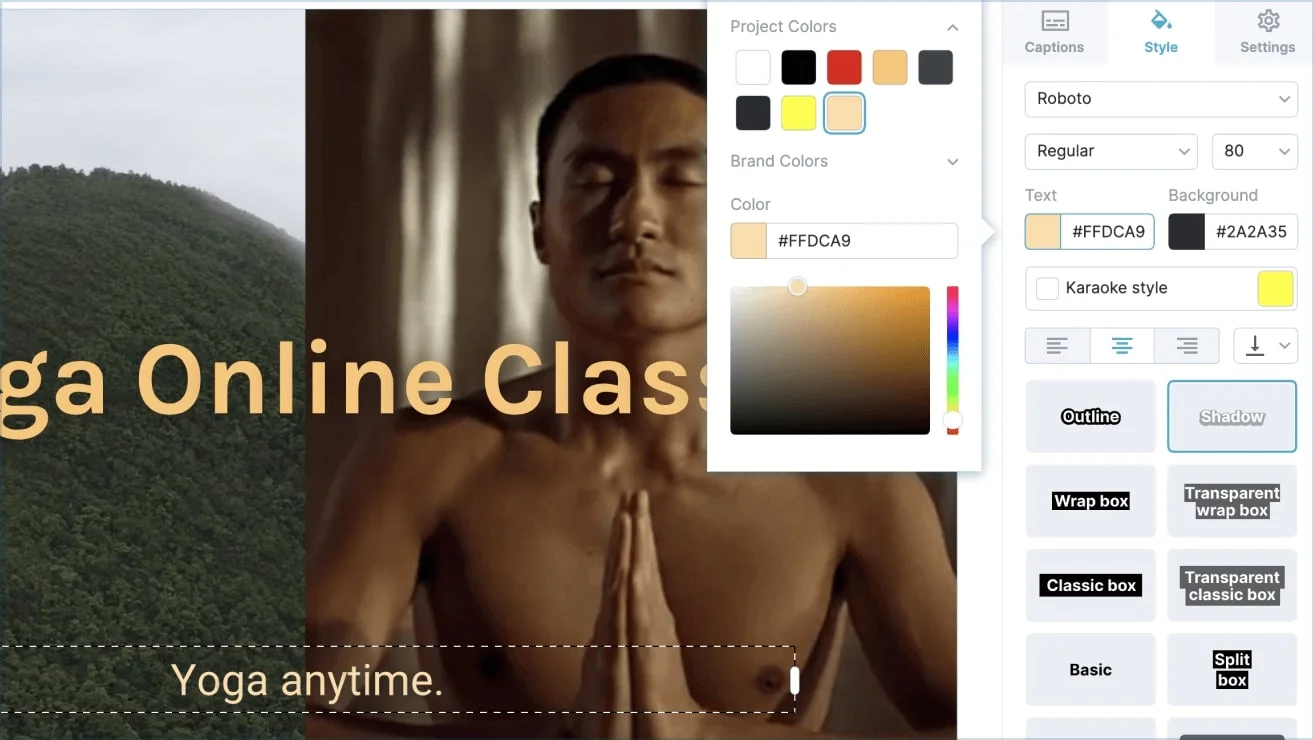
3. Improved Auto-Captioning & Subtitle Tools
Wave.video auto-generates captions using speech-to-text, and creators can edit style, timing, and accuracy in-editor. This boosts accessibility and engagement on muted autoplay feeds.
4. Edit with Text & AI Video Shortening
The "Edit with Text" feature lets you trim and edit videos by simply editing the transcript. Paired with AI-powered shortening, it quickly condenses long videos into snackable formats.
5. Text-to-Speech & Background Removal
Wave.video includes text-to-speech for voiceovers and one-click background removal for images and video assets. These features help produce clean, branded outputs without third-party tools.
Comparison: Wave.video vs. Kapwing vs. Synthesia
| Feature | Wave.video | Kapwing | Synthesia |
|---|---|---|---|
| AI Text-to-Video | ✔ Converts text/blogs into editable videos with stock assets | ✔ AI text-to-video support (basic) | ✔ Advanced text-to-video with AI avatars |
| AI Avatars | ✘ Not available | ✘ Limited / not avatar-focused | ✔ 120+ AI avatars, multilingual support |
| Auto-Captioning | ✔ Auto-generated captions, editable & styled | ✔ Auto captions with timeline editor | ✔ Captions with AI voice sync |
| Social Media Resizing | ✔ Built-in formats for YouTube, TikTok, Instagram, LinkedIn | ✔ Supports resizing & export | ✘ Not the focus (more corporate training style) |
| Live Streaming | ✔ Multi-platform live streaming | ✘ No live streaming | ✘ No live streaming |
| Pricing | Free to $48/month (Business Plan) | Free to ~$24/month | Starting ~$30/month (individual), Enterprise pricing higher |
As the comparison shows, Wave.video stands out as an all-in-one solution, blending AI automation with traditional tools like live streaming and hosting. Platforms like Kapwing are better for lightweight editing, while Synthesia focuses on AI avatar-driven videos. Wave.video offers a middle ground, giving creators automation without sacrificing versatility.
Support & Learning Resources
Wave.video not only offers a feature-rich platform but also provides an extensive support ecosystem to help users at every stage of their video marketing journey. Whether you're a beginner experimenting with your first video or a business scaling campaigns, there are multiple resources to guide you.
1. Knowledge Base & Help Center
Wave.video maintains a comprehensive help center with detailed tutorials, troubleshooting guides, and step-by-step walkthroughs. Users can easily search for answers to common questions about editing, live streaming, hosting, and AI tools. Explore Wave.video Blog & Help Resources.
2. Blog & Marketing Guides
The Wave.video blog features over 100 in-depth articles covering topics such as live streaming strategies, video SEO, content marketing, and platform updates. These guides help marketers and creators stay ahead of industry trends while learning how to maximize the platform.
3. Tutorials & Webinars
For users who prefer hands-on learning, Wave.video offers video tutorials and live webinar sessions that demonstrate platform features in real-world use cases. These sessions often include Q&A opportunities, making them especially valuable for business teams and educators.
4. Community Support
Wave.video also fosters a strong community by sharing best practices from industry experts and encouraging peer-to-peer learning. Users often exchange tips on design, distribution strategies, and video engagement hacks.
5. Customer Support
Dedicated support channels are available for users on all plans, including:
- Email support for quick resolutions
- Wave.video Help Center
- In-platform messaging for real-time assistance
- Template customization guides for branding consistency
With this strong network of resources, Wave.video ensures that users are never left on their own, making the platform suitable not just for self-starters but also for businesses that rely on fast and reliable support.
Conclusion
Wave.video has established itself as a comprehensive video marketing platform that successfully combines editing, live streaming, hosting, and AI-powered tools in one accessible ecosystem. With over 2.9 million users worldwide, it demonstrates that there's significant demand for integrated solutions that eliminate the complexity of managing multiple video tools.
Key Takeaways:
- All-in-One Solution: Wave.video's integrated approach saves time and reduces costs compared to using separate tools for editing, streaming, and hosting
- Accessibility: The drag-and-drop interface and template library make professional video creation accessible to users of all skill levels
- Scalable Pricing: From free plans to enterprise solutions, Wave.video accommodates individual creators, small businesses, and large organizations
- AI Innovation: Recent AI features like text-to-video and automated captioning help users create content faster and more efficiently
- Strong Support: Comprehensive learning resources and customer support ensure users can maximize the platform's potential
Whether you're a content creator looking to streamline your workflow, a business wanting to enhance your video marketing, or an educator seeking to engage students with multimedia content, Wave.video offers a compelling solution that grows with your needs.